Executive Summary: EM777 Authentication Overview
Accessing your EM777 player dashboard allows you to manage funds, check active promotional rollover progress, participate in daily Red Envelope drops, and play real-money games. Because iGaming mirror domains frequently change to circumvent telecom routing blocks, understanding how to verify authentic login endpoints is critical to protecting your funds and personal data.
This technical guide provides direct procedures for mobile and desktop login, step-by-step SMS password recovery, diagnostic solutions for common login error codes, and essential account safety standards.
Direct Account Login Procedures
You can sign in to EM777 via any modern web browser or through the installed mobile client.
[ Enter Username/Phone ] ──► [ Enter Secure Password ] ──► [ Complete Captcha ] ──► [ Two-Factor Auth (If Active) ] ──► [ Dashboard Entry ]
Method 1: Mobile Browser & Desktop Web Login
- Open your web browser and navigate to the verified EM777 Official Portal.
- Locate the "Login" button in the upper-right corner of the interface.
- In the authentication modal, input your Registered Username (or linked 10-digit Philippine mobile number starting with
9). - Enter your confidential account Password.
- Complete the visual slider captcha or 4-digit security code displayed on the screen.
- Tap "Sign In" to load your player dashboard.
Method 2: Dedicated Android & iOS Mobile Client Login
- Launch the installed EM777 application from your smartphone home screen (see EM777 Download Guide).
- If your device supports biometric authentication (Fingerprint or Face Unlock), you can enable quick sign-in under account preferences once your initial session is authenticated.
- Tap "Remember Credentials" only if using a private, personal device. Never store credentials on shared hardware.
Step-by-Step Password Recovery Protocol
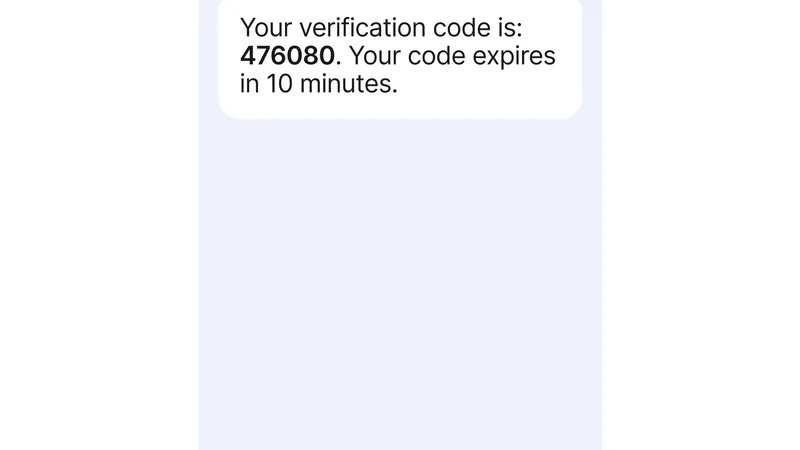
EM777 SMS OTP Verification and Account Security Protocol
If you cannot recall your password, you can reset your credentials in under three minutes using your registered mobile number:
[ Tap "Forgot Password?" ] ──► [ Input Registered Mobile Number ] ──► [ Receive 6-Digit SMS OTP ] ──► [ Create New Password ]
- On the login window, tap the "Forgot Password?" link below the submission button.
- Enter the Philippine mobile number originally bound to your EM777 account (format:
09XXXXXXXXXor+63 9XXXXXXXXX). - Tap "Send OTP". A 6-digit one-time PIN will be dispatched via SMS within 30 to 60 seconds.
- Enter the verification code into the prompt.
- Create a new strong password. Your password must contain 8 to 16 characters, including at least one uppercase letter, one lowercase letter, and one number.
- Confirm the new password and tap "Reset Password".
- Return to the login portal and authenticate using your updated credentials.
[!IMPORTANT]
SMS Code Not Arriving? If your telecom provider (Globe, Smart, DITO) delays SMS delivery, wait at least 60 seconds before requesting a resend. Ensure your phone is not in Airplane Mode and that spam-filtering apps (e.g., Truecaller) are not automatically blocking shortcode messages.
Diagnostic Matrix: Common Login Error Codes & Solutions
If your login attempt fails, refer to the diagnostic table below to identify the root cause and resolution:
| Error Display | Probable Cause | Corrective Action |
|---|---|---|
| "Account or Password Incorrect" | Typographical error or incorrect letter casing | Verify that Caps Lock is disabled. Ensure no trailing spaces were copied into the username field. If repeated attempts fail, use the SMS password reset protocol. |
| "Account Locked / Too Many Failed Attempts" | Security freeze triggered after 5 consecutive incorrect passwords | The system enforces a 15-minute temporary freeze to stop brute-force attacks. Wait 15 minutes, or contact 24/7 Live Support via Telegram to request identity unlocking. |
| "Network Anomaly / Connection Timeout" | DNS filtering by Philippine ISP (PLDT, Converge, Globe) | Toggle mobile data off and on. Switch your device's DNS settings to Cloudflare DNS (1.1.1.1) or Google DNS (8.8.8.8). Alternatively, launch the official Android APK, which includes built-in domain hopping. |
| "Access Denied: Region Restricted" | Connected through an unsupported international VPN | Disable active VPNs or proxy services. EM777 servers are optimized for domestic Philippine IP ranges. |
| "Captcha Verification Failed" | Expired session token or delayed response | Tap the refresh icon on the captcha graphic to generate a fresh image code, then submit within 20 seconds. |
| "Account Under Review" | Compliance check triggered by multiple accounts or turnover disputes | Contact the official customer support channel with your registered GCash details to complete account re-verification. |
Account Security & Anti-Phishing Safeguards
Protecting your player balance and connected e-wallet requires vigilant security hygiene:
- Verify the SSL Padlock: Always inspect the address bar before entering login credentials. Authentic EM777 domains utilize valid SSL/TLS certificates issued by recognized certificate authorities.
- Never Disclose Your GCash MPIN or OTP: Authentic EM777 administrators will never ask for your 4-digit GCash MPIN, banking passwords, or personal SMS verification codes. Any customer support agent asking for these details is a scammer.
- Beware of Clone Mirror Phishing: Malicious third parties occasionally clone EM777 interface assets on misleading URLs to harvest credentials. Always access the platform through verified bookmarks or our verified portal links.
- Log Out on Shared Devices: If you ever access your account on an internet cafe PC or another person’s mobile device, always manually log out and clear browser cookies upon concluding your session.
Frequently Asked Questions (FAQ)
What should I do if I changed my phone number and cannot log in?
If you no longer have access to your registered Philippine mobile number, you must complete manual identity verification. Reach out to the 24/7 Live Support team and provide proof of your bound GCash account name and recent deposit reference numbers to update your registered mobile contact.
Can I be logged into multiple devices simultaneously?
For security and session integrity, logging into a new device (such as launching the mobile app while logged in on a desktop browser) will automatically terminate the preceding active session.
Does EM777 lock accounts due to inactivity?
Accounts that remain inactive for more than 180 days may be placed in a dormant security state. Your account balance remains intact, but you will need to verify your phone number via SMS OTP to reactivate your dashboard upon return.